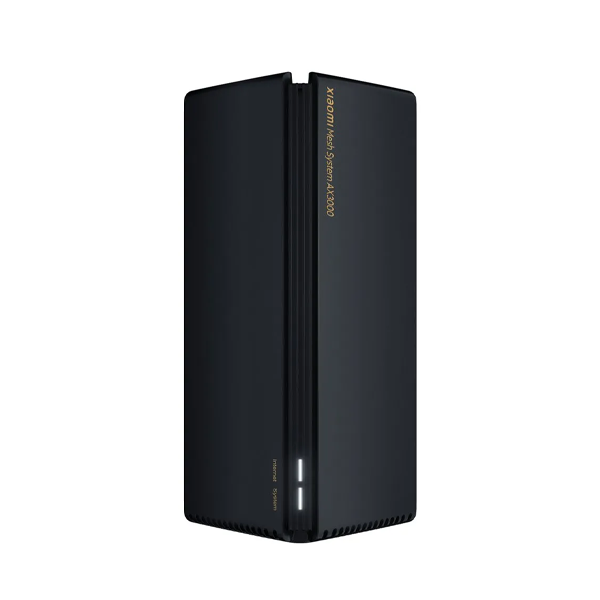


Wifi signals distortion in homes is a pain-point of many users. The frustration is real when you can’t receive a call away from your router leads to no privacy and troubled communication. Hence, Xiaomi’s ecosystem always has the solution in its nest. The Mi Wifi Extender Router is the answer to all the weak signals in your space. No more video buffering and dead spots in the home. Walk in everywhere and get connected with the world. Thus, if you are seeking how to connect xiaomi wifi extender, Xiaomisale is breaking it down in simple and easy steps.

How to Connect Xiaomi Wifi Extender to the Router?
Follow these simple and easy steps while connecting the router to the extender. Almost all the Xiaomi extender models, like Mi WiFi Range Extender N300, Mi Router 4C, and Xiaomi Router AC1200, Mi WiFi Range Extender AC1200 get connected by doing the same steps.
- Download the Xiaomi Home App on your mobile from playstore or Apple store.
- Sign in to the application. If you already have an account, log in.
- Plug in the extender router. It will flash a light indicating success.
- Open the Mi App and click the ‘+’ button to add the device to your account.
- Follow the instructions shows to your mobile screen.
- Connect your active wi-fi network and add its password
- You will observe that the yellow light has changed to blue light. It shows that the connection has established.
- Set the extender to a suitable place and enjoy wi-fi signals in your home anywhere you want.
Also check; Xiaomi WiFi Range Extender N300 Review
Which Xiaomi Router is the Best for Home?
Now, here is a real question. Which router will suit your home? Hence, that’s completely dependent on the area of your home. If you have a got a huge place, you might need to set up a heavy router that can extend over some miles. However, the Mi WiFi Range Extender AC1200 boosts and repeat signals of your existing router. It is not a standalone device; you need a wifi device to connect with it. The wifi extender is a full dual-band Wi-Fi router with simultaneous 2.4 GHz and 5 GHz support and gigabit ports. You are getting stronger coverage for gaming, video calls, and streaming in any corner of your home. Even upstairs, you can use the wi-fi sitting on the ground floor. It surely makes sense in your space.

The Mi Router 4C has only 2.4Ghz band, which is not ideal for heavy use. You can’t operate heavy apps on it. It’s fine for ideal browsing and scrolling social media. But if you are considering doing video calls from any corner or streaming videos, it won’t yield that result.
Mi WiFi Range Extender N300 also needs an existing router to strengthen the signals. However, you can ideally fix them at home and enjoy unlimited browsing. This router also performs well. Meanwhile, you can shop all these wifi extenders at XiaomiSale. We are the authorized distributor of original Xiaomi gadgets. The products are directly sourced from the company, hence the chance of fake products is eliminated.

Should I Install More than One Extender?
Generally, one wifi extender works well. If you have chosen the best-suited model for your home, then there is no need to attach one more. What happens when you install two routers is that it usually slows down the speed because of network interference and congestion.
If the chosen router is not up to your expectations, try installing another with the required specs. Installing two routers isn’t the solution. Hence, at Xiaomisale, you will get the detailed information about the best suited wifi-extenders for your home. Choose the products wisely from Xiaomi’s ecosystem.
Also read How to Connect Mi Wi-Fi Extender?
Why Wi-Fi Extender Giving Weak Signals?
What if the Wi-Fi extender is giving weak signals, even if you have installed the correct one? Many of you might have faced this problem. That never implies that the Xiaomi router is faulty. Your router placement is wrong. In the home, there are multiple electrical products, such as a microwave, cordless phones, baby monitors, and Bluetooth devices, that operate on the same 2.4 GHz band. So the signals' interference and congestion occur because of the electronic range in the air. The signals are crossed in the path and cannot spread properly.
Moreover, Wi-Fi extenders need to be kept elevated. Not to be placed in cupboards or behind the large electronics. Their signals get absorbed by the furniture and appliances. Hence, move all your cordless cameras, monitors, and speakers. Place your router where the obstacles of thick walls, metal cabinets, and mirror is minimum. It helps the signals not to bounce off, providing strong signals all over the home.
Final Words
Connecting to the Wi-Fi extender is super easy and quick. Xiaomi always comes up with user friendly interface. There is no complicated series of steps in setting up any Xiaomi devices. From lifestyle products to smartphones, each product speaks to convenience. It eases your life and makes you tech-oriented. Order the desired products at Xiaomisale. We have online and physical stores to offer ease. Our customer support team is well-trained and 24/7 available to address your concerns.